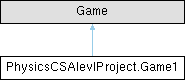
|
|
void | OnExit () |
| | cleans up and logs before exiting
|
|
void | RefreshMeshCommandBindings () |
| | Refreshes the command bindings for the active mesh in the command registry. This method checks if the command registry and active mesh are available, and if the active mesh has changed since the last binding, it registers the new active mesh with the command registry. This allows console commands that operate on the mesh to always reference the current active mesh without needing to specify it as a parameter in each command. By keeping track of the last bound mesh, this method avoids unnecessary re-registrations when the active mesh has not changed, improving efficiency while ensuring that commands remain up-to-date with the current state of the application.
|
|
void | ProcessDebugCommands () |
| | Processes pending debug commands from the ImGuiLogger's command queue. This method checks if there are any commands waiting to be executed, and if so, it dequeues each command and attempts to invoke it using the CommandRegistry. If a command is recognized and successfully invoked, it executes the associated method. If a command is recognized but fails to execute due to an error, it logs the error message. If a command is not recognized, it logs a warning indicating that the command is unknown. This method allows for dynamic execution of debug commands entered by the user in the debug console, providing a powerful tool for testing and debugging the application without needing to modify code or restart the application.
|
| void | ListCommands (string[] parameters) |
| | Lists all registered console commands in the ImGuiLogger. This method retrieves the list of registered command paths from the CommandRegistry and logs them to the ImGuiLogger for display in the debug console. If the command registry is not ready, it logs a warning message instead. This command can be invoked from the debug console to provide users with a reference of available commands they can use for debugging and testing purposes. The method also checks if any parameters were provided when invoking the command, and if so, it logs a warning that this command does not take parameters, helping to guide users on correct usage.
|
| void | AddTire (string[] parameters) |
| | Adds a tire-shaped structure to the active mesh based on the provided parameters. The command expects five parameters: centerX, centerY, OuterStickCount, radius, and spokeLength. It creates a hub-and-spoke tire structure by adding particles and sticks to the active mesh according to the specified parameters. If the parameters are invalid or cannot be parsed correctly, it logs an error message indicating the issue. This command allows users to quickly create complex structures in the mesh for testing and debugging purposes using simple console commands.
|
| void | AddParticle (string[] parameters) |
| | adds a particle with parameters for use in the debug console
|
| void | AddStick (string[] parameters) |
| | adds a stick with parameters for use in the debug console
|
| void | TestConnection (string[] parameters) |
| | Tests the database connection and logs the result. This command can be invoked from the debug console to verify that the application can successfully connect to the database. If the connection test is successful, it logs a success message. If the connection test fails, it catches the exception and logs an error message with details about the failure. This command does not take any parameters, and if any parameters are provided, it logs a warning indicating that they are not expected. This allows developers to quickly check database connectivity without needing to write additional code or use external tools.
|
| void | SaveMeshToJSON (Mesh mesh, string Name, string filePath) |
| | saves the given mesh to a JSOn file at the given filepath
|
| string | SaveMeshToJsonString (Mesh mesh) |
| | returns a json string of the mesh used to save to the database
|
| Mesh | LoadMeshFromJSON (string filePath) |
| | attempts to load a Mesh from the file path provided and converts the file writable mesh to a regular mesh if it fails it returns active mesh
|
| Mesh | LoadMeshFromJsonString (string json) |
| | converts a json string intoo a mesh used to laod from the database if it fails it returns active mesh
|
| Dictionary< string, Mesh > | LoadAllMeshesFromDirectory (string directoryPath) |
| | loads all mesh from a a directory path and returns a dictionary of the meshes with the key being the filename
|
|
void | DrawSignInWindow () |
| | displays the sign in window where all users can inout username and password to sign in
|
|
void | DrawAssignmentMenuItems () |
| | displays all assignments for the user seperated by teacher in a menu
|
|
void | DrawTeacherAssignmentsWindow () |
| | diisplayes the assignment winow where teachers can create assigments and view existing one and the students work for each assignment
|
| void | PopUpSaveProjectToAssignment (Game1Database.Assignment assignment) |
| | the pop up window that appears for when a user wants to upload work for an a ssignemnt
|
|
void | InitializeImGui () |
| | initializes ImGui related variables and state
|
| void | ImGuiDraw (GameTime gameTime) |
| | main drawing fucntion for imgui called every frame in the main draw loop
|
|
void | DrawPopUps () |
| | opens all pop up windows based on their respective toggles and then unset the toggles
|
|
void | ModeSwitchingImGui () |
| | handles the switching between interaction modes by using the ImGui input system over monogames and draws the overlay that shows the current mode and the other modes available when shift is held, this allows for quick and intuitive switching between modes without needing to navigate through menus
|
|
void | ToolSwitchingImGui () |
| | handles the switching between tools by using the ImGui input system over monogames and draws the overlay that shows the current tool and the other tools available when ctrl is held, this allows for quick and intuitive switching between tools without needing to navigate through menus
|
| void | SetMode (MeshMode mode) |
| | Sets the current mode of the application (Interact or Edit) and updates the state accordingly. When switching to Edit mode, the simulation is paused to allow for editing without physics interference. The method also pushes the current mesh state to the history stack for undo functionality, resets input states related to mouse interactions, and clears any temporary data used for tools like wind or cutting. This ensures a smooth transition between modes while preserving the user's work and providing a consistent experience when switching between interacting with the mesh and editing it.
|
|
void | InitializeImGui () |
|
void | ImGuiDraw (GameTime gameTime) |
|
void | DrawPopUps () |
|
void | DrawInspectParticleWindow () |
| | Draws the particle inspection window, allowing users to view and manage particles that they have selected for inspection. The window displays a list of inspected particles with checkboxes to toggle their detailed information display. Users can clear all inspected particles, delete them along with their connected sticks, or close the window. For each inspected particle, detailed information such as position, previous position, and pinned status is shown, along with options to pin/unpin the particle or remove it from inspection. This feature provides an in-depth look at specific particles in the mesh for debugging and analysis purposes.
|
|
void | DrawSignInWindow () |
|
void | ModeSwitchingImGui () |
|
void | ToolSwitchingImGui () |
| void | SetMode (MeshMode mode) |
| | Sets the current mode of the application (Interact or Edit) and updates the state accordingly. When switching to Edit mode, the simulation is paused to allow for editing without physics interference. The method also pushes the current mesh state to the history stack for undo functionality, resets input states related to mouse interactions, and clears any temporary data used for tools like wind or cutting. This ensures a smooth transition between modes while preserving the user's work and providing a consistent experience when switching between interacting with the mesh and editing it.
|
|
void | DrawMainMenuBar () |
|
void | FactoryMenu () |
|
void | QuickStructureMenu () |
| | Provides a user interface for managing quick access to both local and remote structures. Users can toggle between viewing locally saved structures and structures stored in a remote database. The local structures tab allows users to refresh the list of available meshes, save the current mesh with a specified name, and load existing meshes from a designated directory. The remote structures tab enables signed-in users to save their current mesh to the database with a custom name, refresh the list of their saved structures, and load any of their previously saved structures into the application. This menu streamlines the process of managing and accessing different mesh configurations for users, enhancing their workflow and organization.
|
|
void | DrawStructureWindow () |
|
void | DrawSaveWindow () |
|
void | DrawReadMeWindow () |
|
void | DrawAssignmentMenuItems () |
|
void | DrawTeacherAssignmentsWindow () |
|
void | PopUpSaveProjectToAssignment (Game1Database.Assignment assignment) |
|
void | DrawConfigurationWindow () |
|
void | DrawInspectParticleWindow () |
| | Draws the particle inspection window, allowing users to view and manage particles that they have selected for inspection. The window displays a list of inspected particles with checkboxes to toggle their detailed information display. Users can clear all inspected particles, delete them along with their connected sticks, or close the window. For each inspected particle, detailed information such as position, previous position, and pinned status is shown, along with options to pin/unpin the particle or remove it from inspection. This feature provides an in-depth look at specific particles in the mesh for debugging and analysis purposes.
|
|
void | DrawMainMenuBar () |
| | draws the main menu bar at the top of the screen
|
|
void | FactoryMenu () |
| | the menu for all factories that can be used to quickly create complex structures in the mesh,
|
|
void | QuickStructureMenu () |
| | Provides a user interface for managing quick access to both local and remote structures. Users can toggle between viewing locally saved structures and structures stored in a remote database. The local structures tab allows users to refresh the list of available meshes, save the current mesh with a specified name, and load existing meshes from a designated directory. The remote structures tab enables signed-in users to save their current mesh to the database with a custom name, refresh the list of their saved structures, and load any of their previously saved structures into the application. This menu streamlines the process of managing and accessing different mesh configurations for users, enhancing their workflow and organization.
|
|
void | DrawStructureWindow () |
| | Draws the structure window for loading and managing saved meshes.
|
|
void | DrawSaveWindow () |
| | Draws the save window for saving the current mesh with a specified name.
|
|
void | DrawReadMeWindow () |
| | Draws the readme window with instructions and tips for using the application.
|
|
void | DrawConfigurationWindow () |
| | draws the settings menu for changing window size, physics settings and other configuration options
|
|
void | InitializePhysics () |
| void | ApplyStickForcesDictionary (Dictionary< int, Mesh.MeshStick > sticks, float timeRatio=1f) |
| | Applies spring forces to the particles based on the sticks connecting them. The force applied is proportional to the stretch of the stick from its rest length, multiplied by the spring constant. The forces are accumulated on each particle for later use in the integration step.
|
| void | UpdateStickColorsDictionary (Dictionary< int, Mesh.MeshStick > sticks) |
| | Updates the colors of the sticks based on their stretch relative to their rest length.
|
| void | UpdateParticles (float deltaTime) |
| | Updates the positions of the particles based on the accumulated forces, applying simple Verlet integration. It also handles collisions with colliders and the boundaries of the window, applying appropriate responses based on the bounce and friction coefficients. Additionally, it calculates statistics about the forces applied to the particles for potential use in visualization or debugging.
|
|
void | InitializeRender () |
| | initiales rendering related variables and settings
|
|
void | InitializeTools () |
| | initializes all tools and their settings, this is called in the Initialize method of the game and sets up the interact and build tools with their default properties and values. It also adds factories for creating complex structures like tires and cloth meshes. This method ensures that all tools are properly configured and ready for use when the application starts, allowing users to interact with and build meshes effectively using the provided toolset.
|
|
void | InitializeInteractTools () |
| | initalises all tools in the Interact Mode with their default properties and values, this includes the Drag, Pin, Cut, Wind, LineCut, Select Particles and Cursor Collider tools. Each tool is configured with specific properties such as radius, strength scale, min distance and shape options that can be adjusted by the user in the UI. This method ensures that all interact tools are properly set up and ready for use when the application starts, allowing users to effectively manipulate the mesh using these tools.
|
|
void | InitializeBuildTools () |
| | initializes all tools in the Build Mode with their default properties and values,
|
|
void | DrawToolMenuItems () |
| | Draws all tools for the selected mode.
|
|
void | DrawSelectedToolSettings () |
| | Draws the settings for the currently selected tool in the UI. Depending on which tool is selected, it displays different configurable parameters such as radius, strength, or shape options. The method uses ImGui controls like sliders, checkboxes, and combo boxes to allow users to adjust these parameters in real-time. It also includes error handling to catch any exceptions that may occur while drawing the tool settings, ensuring that the application remains stable and provides feedback on any issues encountered.
|
|
void | EnsureSelectedToolValid () |
| | makes sure the currently selected tool is valid for the current mode
|
| void | PinParticleBuildable (Vector2 center, float radius) |
| | Pins or unpins particles within a specified radius of a given center point. The method retrieves the IDs of particles that are within the radius from the center, and toggles their pinned state. If a particle is pinned, it becomes unpinned, and if it is unpinned, it becomes pinned. The method also logs the action taken for each particle, including its ID and position. If no particles are found within the radius, it logs a warning message indicating that no particles were affected by the pin tool at the specified location and radius.
|
| void | CutAllSticksInRadiusBuildable (Vector2 center, float radius) |
| | Cuts sticks that are within a specified radius of a given center point. The method iterates through all the sticks in the active mesh and calculates the center point of each stick. If the distance from the stick's center to the specified center point is less than or equal to the given radius, the stick is marked for removal. After checking all sticks, the method removes the marked sticks from the mesh and logs the action taken for each cut stick, including its ID and center position. If no sticks are found within the radius, it logs a warning message indicating that no sticks were affected by the cut tool at the specified location and radius.
|
| void | ApplyWindForceFromDrag (Vector2 startPos, Vector2 endPos, float _) |
| | Applies a wind force to particles based on the drag distance and direction between a start and end position. The method calculates the wind direction as the vector from the start position to the end position, and determines the distance of the drag. If the drag distance is below a specified minimum threshold, it logs a warning message and does not apply any force. If the drag distance is sufficient, it calculates the wind force by scaling the wind direction with the drag distance and a strength factor. The resulting wind force is stored in a variable for later application to particles in the simulation. This method allows users to interactively apply wind forces to particles by dragging across the screen, with configurable parameters for minimum drag distance and strength scaling.
|
| void | CutSticksAlongLine (Vector2 lineStart, Vector2 lineEnd) |
| | cuts all sticks within a segment of a line
|
| List< int > | GetMeshParticlesInRadius (Vector2 mousePosition, float radius, int maxParticles=-1) |
| | Retrieves a list of particle IDs from the active mesh that are within a specified radius of a given mouse position. The method iterates through all particles in the active mesh and calculates the distance from each particle's position to the mouse position. If the distance is less than the specified radius, the particle's ID is added to the list of nearby particles. The method also takes an optional parameter for maximum particles to return; if this limit is reached, it returns the list immediately. This function is used by various tools to identify which particles should be affected based on their proximity to the user's cursor.
|
| void | DragMeshParticles (MouseState mouseState, bool isDragging, List< int > particleIds) |
| | Drags particles in the active mesh based on the current mouse state and whether the user is actively dragging. The method takes a list of particle IDs that are within the drag radius and updates their positions accordingly. If the user is dragging, it calculates the movement delta from the previous mouse position and applies this delta to each particle's current and previous positions, effectively moving them with the cursor. The particles being dragged are visually highlighted by changing their color to yellow. If the user is not dragging, it resets the color of the affected particles back to white. This method allows for interactive manipulation of particles in the mesh using a drag tool.
|
| void | InspectParticlesInRadiusLog (Vector2 center, float radius) |
| | Inspects particles within a specified radius of a given center point and logs their information to the console. The method iterates through all particles in the active mesh and calculates the distance from each particle's position to the center point. If the distance is less than or equal to the specified radius, it logs the particle's ID, position, and pinned state to the console. Additionally, it visually highlights inspected particles by changing their color to cyan. If no particles are found within the radius, it logs a warning message indicating that no particles were inspected at the specified location and radius.
|
| void | InspectParticlesInRadiusWindow (Vector2 center, float radius) |
| | Inspects particles within a specified radius of a given center point and visually highlights them in the mesh.
|
| void | InspectParticlesInRectangle (Vector2 rectStart, Vector2 rectEnd, bool isLog, bool clearWhenUse) |
| | Inspects particles within a rectangle defined by two corner points and either logs their information to the console or visually highlights them in the mesh,.
|
| List< int > | GetParticlesInRectangle (Vector2 rectStart, Vector2 rectEnd) |
| | gets all partices in a rectangle defined by two corner points used for inspection
|
| void | HandleAddStickBetweenParticlesClick (Vector2 clickPos) |
| | Handles the logic for adding a stick between two particles when the user clicks on the canvas. The method first retrieves the radius parameter from the tool settings and then gets the IDs of particles that are within this radius of the click position. If no particles are found, it logs a warning message. If one or more particles are found, it checks if there is already a first particle selected for creating a stick. If not, it sets the first particle ID and highlights it in yellow. If there is already a first particle selected and the newly clicked particle is different, it creates a stick between the two particles, logs the action, and resets their colors back to white. If the user clicks on the same particle that is already selected as the first particle, it logs a message indicating that a stick cannot be created to the same particle and prompts the user to select a different particle.
|
|
void | MeshHistoryPush () |
| | Pushes the History for undo and redo functionality. When a change is made to the mesh, this method creates a deep copy of the current active mesh and pushes it onto the history stack. It also clears the redo history stack, ensuring that any new changes invalidate the previous redo states. This allows users to undo and redo their actions on the mesh effectively, maintaining a consistent state of the mesh throughout their editing process.
|
| Rectangle | GetRectangleFromPoints (Vector2 point1, Vector2 point2) |
| | creates a recangle from two points
|
|
void | InitializeUpdate () |
| | initializes variables used in the Update method,
|
|
Vector2 | GetCursorColliderCenter () |
| void | SetCursorColliderCenter (Vector2 center) |
| | sets the center of the cursor collider to a given position, which is used for tools that require a cursor area of effect,
|
| void | UpdateCursorColliderSize (float radius) |
| | updates the size of the cursor collider based on a given radius, which is used for tools that require a circular or square area of effect around the cursor.
|
|
void | HandleUndoRedoShortcuts (KeyboardState keyboardState, bool ctrlHeld, bool shiftHeld) |
|
void | UpdateCursorColliderFromToolSettings () |
|
void | HandlePauseAndStepHotkeys (KeyboardState keyboardState) |
|
void | HandleDirectToolSelection (KeyboardState keyboardState) |
|
void | HandleMouseAndToolInput (MouseState mouseState, Vector2 currentMousePos, bool imguiWantsMouse) |
|
void | UpdateActiveToolVisualsAndActions (KeyboardState keyboardState, MouseState mouseState, Vector2 currentMousePos, bool imguiWantsMouse) |
|
void | RunPhysicsUpdate (Vector2 currentMousePos) |
|
void | ApplyPostPhysicsToolEffects (MouseState mouseState, Vector2 currentMousePos) |
|
|
GraphicsDeviceManager | _graphics |
| | Used for everything related to the window.
|
|
SpriteBatch | _spriteBatch |
| | Used to Draw Everything with Texture or a generated texture.
|
|
PrimitiveBatch | _primitiveBatch |
| | The main class that is used to generate and maniplulate primitive shapes like lines, rectangles and circles. This is used to draw the particles, sticks and colliders in the mesh.
|
|
bool | _leftPressed |
| | just a bool for if the left mouse is pressed
|
|
Vector2 | _initialMousePosWhenPressed |
| | stores the position at the start of a left mouse drag
|
|
KeyboardState | _prevKeyboardState |
| | used to make sure that a keyboard press is only the inital press and not repeated while the key is held down
|
|
MouseState | _prevMouseState |
| | used to make sure that a mouse click is only the inital click and not repeated while the button is held down, also stores the previous mouse position for use in dragging calculation
|
|
Vector2 | _previousMousePos |
| | stores the position of the previous frames mouse pos to interpolate drags as the physics update multiple times per frame
|
|
bool | _paused |
| | just a toggle for if the simulating is paused or not
|
|
Rectangle | _changedBounds |
| | The bounds of the window that have been changed, used for updating the window size and position.
|
|
bool | _keepAspectRatio |
| | a toggle if the iniital aspect ratio is to be respected
|
|
float | _lockedAspectRatio |
| | the aspect ratio of the window used for if _keepAspectRatio is true
|
|
Stack< Mesh > | _meshHistory |
| | stores the state of the mesh before any changes are made to it for undo functionality, also stores the state of the mesh before any changes are made for redo functionality
|
|
Stack< Mesh > | _meshRedoHistory |
| | stores the state of the mesh before any changes are made for redo functionality, this is cleared whenever a new change is made to the mesh to prevent redoing changes that are no longer relevant. This allows for a linear undo/redo history where the user can only redo actions that were undone, and any new action will clear the redo history to maintain consistency in the state of the mesh.
|
|
Mesh | _activeMesh |
| | stores the current mesh that physics is itterated on and the user is interacts with
|
|
Mesh | _defaultMesh |
| | a fallback for if the _activeMesh is null for any reason, this should never be used but it prevents the application from crashing if something goes wrong with the mesh loading or creation process. This mesh is a simple default mesh with no particles or sticks, and default physics parameters.
|
|
MeshMode | _currentMode = MeshMode.Interact |
| | stores the current mode the program is in
|
|
CommandRegistry | _commandRegistry |
| | The CommandRegistry is used to store and manage console commands.
|
|
Mesh | _commandRegistryMeshBinding |
| | The mesh that is currently bound to the command registry.
|
|
bool | _showConfigurationWindow |
| | toggle for if the config window is open
|
| bool | _showReadMeWindow |
| | toggle for if the readme window is open
|
|
bool | _showStructureWindow |
|
bool | _showSaveWindow |
| | toggle for if the save window is open
|
|
bool | _showSignInWindow |
| | toggle for if the sign-in window is open
|
|
bool | _showLoggerWindow |
| | toggle for if the logger window is open
|
|
bool | _showConfirmNewMeshPopup |
| | toggle for if the confirm new mesh popup is open
|
|
bool | _showSaveAssignmentPopup |
| | toggle for if the save assignment popup is open
|
|
bool | _showTeacherAssignmentsWindow |
| | toggle for if the teacher assignments window is open
|
|
ImGuiLogger | _logger |
| | the logger used for logging messages to the ImGui logger window
|
|
string | _meshName |
| | the name of the current mesh, used for saving and loading
|
|
string | _structurePath |
| | the path to the directory where structures are saved and loaded from
|
|
string | _quickStructureName |
| | the name of the quick structure, used for saving and loading quick structures
|
|
Collider | _cursorCollider |
| | the collider currently being used for cursor interaction
|
|
Dictionary< string, Collider > | _cursorColliderStore |
| | a store of colliders that can be used for cursor interaction, indexed by name
|
|
Dictionary< string, Mesh > | _quickMeshes |
| | a dictionary of meshes that can be quickly loaded, indexed by name
|
| Dictionary< string, Func< Mesh > > | _template |
| | a dictionary of template functions for creating new meshes based on predefined configurations, indexed by name
|
| int | _buttonSteps |
| bool | _ctrlHeld |
| bool | _shiftHeld |
| bool | _capsActive |
|
bool | _altHeld |
|
Factory | _selectedFactoryAction |
| | the currently selected factory action, used for quick structure creation
|
|
bool | _LocalorRemoteStructureTab |
| | wether to show the local or remote structures in the quick structure menu
|
|
Game1Database.User | _currentUser |
| | the current user signed in, null if no user is signed in
|
|
string | _userInputUserId |
| | whats in the user id input field in the sign-in window
|
|
string | _password |
| | whats in the password input field in the sign-in window
|
|
Game1Database.Assignment | _selectedAssignment |
| | the currently selected assignment in the teacher assignments window, null if no assignment is selected
|
|
List< Game1Database.StructureInfo > | _remoteStructures = new() |
| | stores all remote structures for the user, loaded from the database when the user signs in
|
|
string | _remoteSaveName = "MyStructure" |
| | the name of the structure to save to the database when saving, taken from the input field in the teacher assignments window
|
|
List< Game1Database.User > | _allTeachers = new() |
| | lists all teachers in the database
|
|
Dictionary< int, List< Game1Database.Assignment > > | _teacherAssignments = new() |
| | stores the assignments for each teacher, loaded from the database when the user opens the teacher assignments window
|
|
int | _selectedTeacherTabIndex = 0 |
| | the index of the currently selected teacher tab in the teacher assignments window, used for displaying the correct assignments when the user has multiple teachers
|
|
string | _newAssignmentTitle = "" |
| | stores the input field for creating a new assigmnment in the teacher assignments window
|
|
string | _newAssignmentDescription = "" |
| | stores the input field for creating a new assignment description in the teacher assignments window
|
|
string | _newAssignmentDueDate = "" |
| | stores the input field for creating a new assignment due date in the teacher assignments window
|
|
float | _frictionCoefficient = 0.2f |
| | the friction coeffiecent used in collison resolution and effects how much tangential velocity is lost and thus how much a particle will slide
|
|
float | _bounceCoefficient = 0.2f |
| | the bounce coefficient used in collison resolution and effects how much normal velocity is lost and thus how much a particle will bounce off of surfaces
|
|
Vector2 | _collisonBoundsDifference |
| | how much to change the bounds compared to the window
|
|
Vector2 | _baseForce |
| | the base force applied every iteration usually just gravity
|
|
float | _timeAccumulator |
| | the amount of time a frame is taking to calculate the physics for, used to determine how many physics updates to perform in a frame
|
|
bool | _useConstraintSolver |
| | a toggle for if the constraint solver should be used to correct stick lengths after the particles have been updated, this can help with stability but can cause jitter and other unwanted behaviour if not used carefully
|
|
int | _subSteps |
| | how many substeps to perform in the constraint solver, more substeps can increase stability but also increase the chance of jitter and other unwanted behaviour if not used carefully
|
|
int | _stepsToStep |
| | amount of steps immediately due to a user input in the menu bar
|
|
bool | _drawParticles |
| | determines whether to draw particles
|
|
bool | _drawConstraints |
| | determines whether to draw constraints (sticks)
|
|
string | _selectedToolName |
| | the selected tool name
|
|
Dictionary< string, Tool > | _interactTools |
| | a store of all tools used in the interact mode
|
|
Dictionary< string, Tool > | _buildTools |
| | a store of all tools used in the edit mode
|
|
float | _dragRadius |
| | the radius used for the drag tool,
|
|
List< int > | _inspectedParticles |
| | lists the ID of all particles selected but the select tool
|
|
List< int > | _openedInspectedParticles |
| | the list if the ID of all particles opened in the select window
|
|
List< Factory > | _factories = new() |
| | stores all factories
|
|
int? | _stickToolFirstParticleId |
| | the first particle ID to be paired with another to create a stick when using the add stick between particles tool, this is set to null when no particle has been selected yet or the pairing has been completed
|
|
VectorGraphics.PrimitiveBatch.Rectangle | _selectRectangle |
| | the rectangle used for selecting particles
|
|
Vector2 | _windForce |
| | the current wind force being applied by the wind tool
|
|
VectorGraphics.PrimitiveBatch.Arrow | _windDirectionArrow |
| | the arrow primitive used to show the direction and strength of the wind tool while dragging
|
|
VectorGraphics.PrimitiveBatch.Line | _cutLine |
| | the line primitive used to show where the cut tool will cut while dragging and other tools where a line is used to show the area of effect
|
|
List< int > | _meshParticlesInDragArea |
| | a list of particle IDs that are currently within the area of effect of a tool that is being dragged
|
|
Collider | _draggedCollider |
| | the collider that is currently being dragged by the Move Collider tool,
|
Sign-in, authentication, and assignment/teacher window functionality.
Window drawing functionality for structures, save dialogs, readme, and configuration.
Quick structure menu and structure management functionality.
Main menu bar and factory menu functionality.
Particle inspection and inspection window functionality.
Core ImGui functionality including initialization, main draw loop, and mode/tool switching.